MyZio
- 4.6
- Rating
- 500.00K
- Installs
- Free
- Price

 Analysis by App-foxy
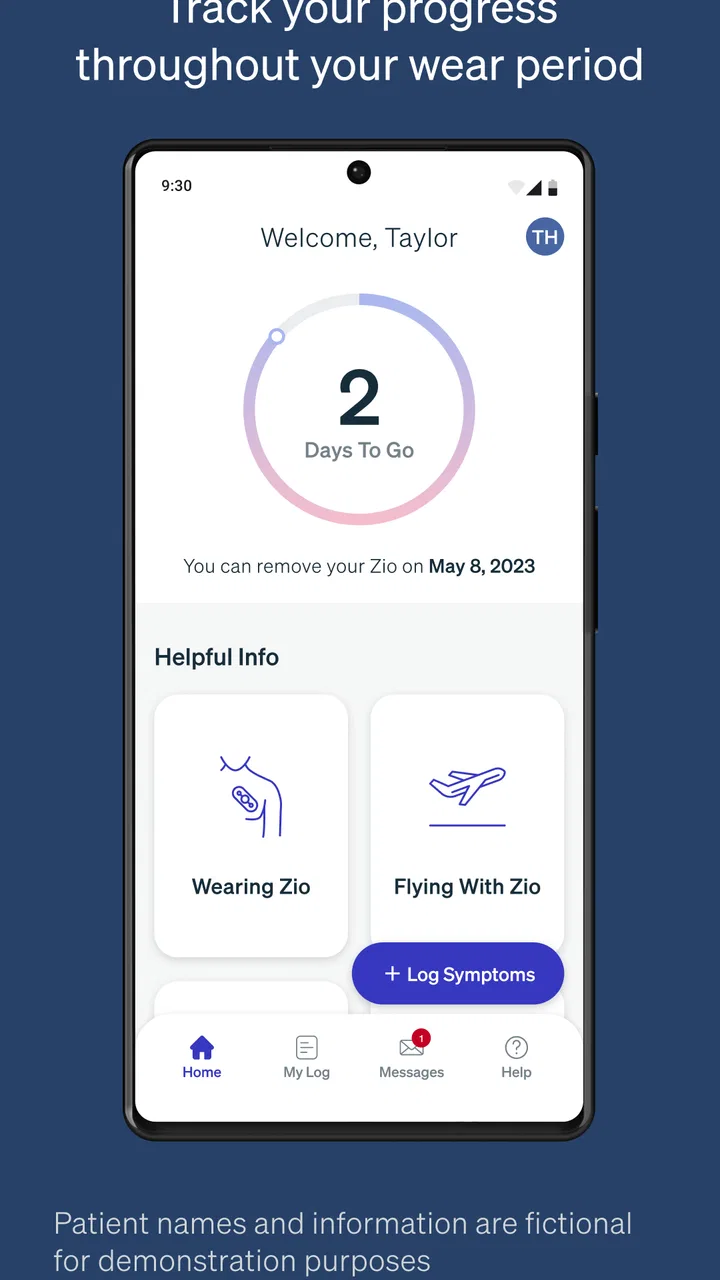
MyZio is a focused medical companion for people using a Zio monitor, and I found its value in one simple job: helping me record symptoms while the monitoring period is underway. It is not trying to replace a doctor, interpret every sensation, or become a general health diary. Instead, it gives the monitoring process a place for symptom notes, which can make the experience more organized and easier to discuss later.
That narrow purpose is important. If you are wearing a Zio monitor and want to connect what you felt with what was happening during the recording period, this app makes more sense than a normal notes app. If you are looking for a broad heart-health dashboard, exercise tracker, emergency tool, or standalone diagnostic service, I would look elsewhere. MyZio is free, rated for Everyone, and developed by iRhythm Technologies, Inc., so its usefulness depends heavily on whether you are already part of the Zio monitoring workflow.
How MyZio fits into the monitoring experience today
When I think about using MyZio in a household, the key question is not how many people can share a phone, but how to keep one person’s symptom notes distinct and dependable. I would treat the monitor wearer as the person whose experience is being recorded, then consider who can help with reminders or practical support. That boundary matters as much as the logging habit, and it leads naturally to how I would prepare the app before monitoring begins.
You May Also Like

 Blood Strike: 2.5 Anniversary
Blood Strike’s Loadouts Turn Every Drop Into a Tactical Gamble
A close look at Blood Strike’s custom loadouts: how fast access to signature weapons reshapes its battle royale rhythm, rewards preparation, and narrows the gap between fights.

 Pandora - Music & Podcasts
Pandora’s Music Is Easy to Start, but Harder to Recover
Pandora’s strength is its low-effort path from a seed to a station. Its weak spot is how much confidence it asks you to place in connection, setup, and quiet recovery.

 8 Ball Pool
 Is Built on Rivalries, Rematches, and Routine
A close look at the rivalries, rematches, shared routines, and unanswered safety questions that turn a quick pool match into a persistent mobile community.

 Samsung Music
’s Quiet Strength Is Playing What You Already Own
Its reach comes less from spectacle than from dependable access to a personal library. That simplicity is both the app’s strongest retention engine and its ceiling.

 AccuWeather: Weather Radar
AccuWeather Review: A Quick, Clear Forecast for Everyday Decisions
For everyday plans, the best forecast is the one you can understand quickly. AccuWeather makes rain timing, radar, and local conditions easy to act on, with a few trade-offs.

 Hill Climb Racing
Why Hill Climb Racing Still Turns Crashes Into One More Run
A tiny car, a bumpy hill and one more upgrade: Hill Climb Racing keeps resurfacing because its simple chaos makes every near-miss feel personal.
More From Our News Desk



A small app with a clear medical purpose
After using it as a companion rather than treating it like a full medical platform, I came away with a fairly clear impression: MyZio is most helpful when I use it immediately after noticing a symptom. A brief entry made at the right moment is more useful than trying to reconstruct the day from memory several hours later. That makes the app practical during ordinary routines, whether I am at home, commuting, working, or settling down for the evening.
The central idea is symptom logging alongside the Zio monitor. In everyday terms, that means the app gives me a dedicated way to mark an experience that may matter during later review. A racing feeling, a skipped-beat sensation, lightheadedness, or another unusual moment is easy to dismiss once it passes. Recording it promptly creates a clearer personal timeline than relying on memory alone.
I would not describe the app as a replacement for medical advice. A symptom entry is a record of what I felt, not a diagnosis or a promise that the app will explain the cause. That distinction is especially important with heart-related concerns. If something feels urgent or severe, I would treat that situation as a medical matter rather than waiting for an app entry to provide reassurance.
Who will get the most from it
The best fit is someone who has been instructed to wear a Zio monitor and wants a simple companion for documenting symptoms. It can also suit people who find paper notes inconvenient or who tend to forget exact times and circumstances. Keeping the record close to the monitoring experience reduces the number of places where information can be lost.
It is particularly useful for users who notice symptoms intermittently. A symptom that appears once and disappears may be difficult to describe accurately at an appointment. A quick note made near the event can preserve useful context, such as whether it happened while resting, walking, working, or trying to sleep. I see that as the app’s most practical contribution: it helps turn a vague recollection into a more organized account.
On the other hand, I would skip it if I am not using a Zio monitor. The app’s identity is tied to that device experience, so downloading it out of curiosity does not turn it into a general-purpose symptom journal. Someone who wants long-term wellness trends, medication reminders, blood-pressure records, or broad appointment management would likely be better served by a more comprehensive health app, a secure personal journal, or the tools recommended by their clinician.
A realistic day-to-day example
Imagine I am at work and suddenly notice a brief fluttering sensation while walking between meetings. By the end of the day, I might remember the feeling but forget the approximate time, what I was doing, or whether it lasted seconds or longer. With MyZio available as the companion to the monitor, I can make the entry close to the moment instead of trusting a tired memory later.
That workflow has a useful discipline built into it: record the event, then return to the day. I do not need to turn the moment into a long narrative. A concise note is often easier to maintain than an elaborate diary. I would keep the wording neutral and concrete, describing what I felt and what I was doing rather than guessing at the medical explanation. That makes the record more useful for discussion and avoids turning the app into a source of self-diagnosis.
A second practical situation is nighttime. Symptoms noticed while half-awake can be especially hard to recall in the morning. Keeping the process simple matters here. I would avoid waiting until the next day to recreate the sequence, because the details that distinguish one event from another can blur quickly. The app’s value is strongest when it supports this immediate, low-effort habit.
What the current release tells me about its maturity
The current Android version is 2.1.1-rc2, and the app supports Android 8.0 or later. Those details matter for someone using an older phone or deciding whether to install it on a secondary device. A compatible operating system is necessary, but it does not guarantee that every phone experience will feel identical. For a medical companion, I would also make sure the phone is reliable enough for the entire monitoring period and that I can open the app without unnecessary friction.
The app has been available since July 12, 2017, which gives it a longer presence than a brand-new utility. Its current audience is substantial, with more than 500 thousand installs, an average rating of 4.6 from roughly 15 thousand ratings, and about 1.4 thousand written reviews. I read those numbers as signs that the basic concept is understandable to many users, not as proof that it will fit every monitoring situation.
The “rc2” part of the version label is worth noticing. I would be cautious about treating a release-candidate label as a promise of a major redesign or a particular upcoming feature. It is better to judge the app by the workflow it provides now: symptom logging connected to the Zio monitor. Expectations should stay separate from confirmed behavior, especially when the task involves personal health information.
How the evolution affects existing users
For someone who has used MyZio before, the most important question is probably continuity. A monitoring companion earns its place by being dependable during a limited but important period, not by constantly adding decorative features. Existing users may appreciate a current release that remains centered on the same straightforward purpose rather than expanding into unrelated wellness tools.
At the same time, a release update can create small points of friction even when the central idea remains familiar. I would install or update before beginning a monitoring period rather than waiting until a symptom occurs. That gives me time to open the app, understand the available logging flow, and check that the phone is ready. A few minutes of preparation is preferable to learning the interface during a stressful moment.
I would also keep my phone charged and avoid relying on a single memory-based routine. If I notice a symptom, I would log it as soon as practical and then preserve any additional context in the same place rather than scattering notes across text messages, paper, and unrelated apps. Consistency matters more than writing a long description. This is one of the less obvious benefits of a dedicated companion: it encourages a repeatable process.
Another useful habit is to distinguish symptom logging from interpretation. I would write “felt a flutter while sitting after lunch” rather than deciding that the event was a specific rhythm problem. That approach keeps the record honest and makes it less likely that anxiety will shape the wording. The monitor and the medical team handle the clinical interpretation; my role is to capture what happened as accurately as I can.
Where it is weaker than broader alternatives
MyZio’s specialization is also its main limitation. A general notes app may offer more flexibility for long descriptions, attachments, or unrelated health records. A broader health platform may be better for combining several kinds of information over months or years. A paper diary can even be preferable for someone who dislikes using a phone while feeling unwell. Those alternatives are not necessarily better at supporting the Zio-specific workflow, but they may be better for needs outside it.
I would not choose MyZio as my only safety tool. Symptom logging is retrospective documentation, not emergency communication. If I were experiencing a serious or rapidly worsening problem, I would seek appropriate medical help rather than spend time trying to create a perfect entry. The app should support the monitoring process, not delay care.
There is also a behavioral limitation: a logging app only helps when I actually use it. If I regularly postpone entries, forget the phone, or feel that recording symptoms is too much effort, the resulting history will be incomplete. This is not a flaw unique to MyZio, but it is especially relevant here because the usefulness of a symptom timeline depends on timely and consistent input.
Another trade-off is focus versus flexibility. I like that the app is not presented as a huge collection of unrelated health features, because that keeps the purpose easy to understand. But users who want detailed lifestyle correlations may find the experience too narrow. If my goal is to compare symptoms with sleep, exercise, meals, medication schedules, and long-term trends in one place, I would need another tool or a clinician-approved method alongside it.
Practical tips for getting better records
Log close to the event whenever possible instead of waiting until the end of the day.
Describe the sensation in ordinary words and include what you were doing, rather than assigning a diagnosis.
Use the same basic pattern each time so separate entries are easier to compare later.
Prepare the app before the monitoring period begins, particularly if the phone is older or rarely used.
Keep urgent symptoms separate from routine documentation; do not let logging replace medical attention.
These habits make a bigger difference than trying to write the longest possible entry. A short, timely, consistent record can be more useful than a detailed account created from memory. I would also avoid changing the meaning of an earlier entry after reading online guesses about symptoms. The purpose is to preserve my experience, not to build a diagnosis before professional review.
Questions I would consider before installing
One practical question is whether the app costs anything. MyZio is free, which removes a financial barrier for someone already using the related monitor. That does not mean the app is useful independently; the important consideration is whether it belongs in my particular monitoring plan.
Another question is whether it is suitable for children or older family members. Its content rating is Everyone, but that rating is not the same as a medical recommendation for every person or situation. I would follow the instructions from the healthcare professional managing the monitoring process, especially when helping someone else record symptoms.
Users may also wonder whether a high rating guarantees a smooth experience. The 4.6 average and the volume of ratings suggest that many people find the app satisfactory, but ratings cannot account for every phone, health situation, or expectation. I would still test the basic workflow before depending on it during the most important part of monitoring.
Finally, I would ask whether it can replace the usual alternatives. In my view, no single answer fits everyone. For Zio users who want a dedicated symptom-log companion, it is more relevant than an ordinary notes app. For people seeking a complete personal health record, a flexible journal, or immediate medical support, another option will be more appropriate.
What I would watch in future updates
Because the current version is 2.1.1-rc2, I would pay attention to whether future releases improve the reliability and clarity of the logging workflow without making it slower. For this kind of app, useful progress would mean less confusion at the moment of entry, dependable access during the monitoring period, and a clear relationship between the user’s notes and the broader Zio experience.
I would also watch for changes that affect existing users’ routines. A redesign can be positive, but only if familiar tasks remain easy to find. Medical companions benefit from predictability. When someone is distracted by an unexpected symptom, they should not have to relearn the entire process. Any evolution should preserve the app’s focused role rather than burying it under general wellness features.
Privacy and control would be areas I would consider carefully whenever the app changes, because symptom notes are personal even when they look brief. I would read update information and review the app’s behavior after an update instead of assuming that every change is invisible. That is a sensible habit for any health-related application.
My final take on the companion
MyZio is a good fit when the goal is simple, timely symptom logging during use of a Zio monitor. I like its focused role, free access, and the way it encourages a more reliable account than memory alone. The strongest benefit is not a flashy feature; it is the practical connection between an experienced symptom and a record made near the time it happened.
Still, I would not recommend it as a general medical organizer or as a source of diagnosis. Its narrow purpose means some users will find it exactly right, while others will quickly outgrow it. If I were wearing a Zio monitor, I would install it before the monitoring period, practice the basic entry routine, and use short factual notes consistently. If I were not using that monitoring system, I would choose a different app designed for my actual health-record needs.
Overall, MyZio succeeds by staying close to one job. It does not need to become a complete health platform to be useful. For the right user, it can make an otherwise easy-to-forget part of cardiac monitoring more organized and less dependent on recollection. That is a modest role, but in this context, modest and dependable is exactly what I would want.
FAQs for MyZio
01What is MyZio, and what does it offer?
MyZio is a comprehensive app designed to streamline your daily tasks and enhance productivity. It offers features like task management, calendar integration, and real-time collaboration tools, making it ideal for both personal and professional use. Users appreciate its intuitive interface and customizable options that adapt to individual needs.
02Is MyZio available for both Android and iOS?
Yes, MyZio is available for download on both Android and iOS platforms. The app is optimized for seamless performance across devices, ensuring a consistent user experience whether you're using a smartphone or tablet. You can find it on the Google Play Store and the Apple App Store.
03Does MyZio require an internet connection to function?
MyZio primarily requires an internet connection for real-time collaboration and syncing across devices. However, it does offer offline capabilities for task management and basic functions. Once reconnected, the app automatically updates and synchronizes your data, ensuring all information is up to date.
04Is there a free version of MyZio available?
MyZio offers a free version with limited features, perfect for users who need basic task management tools. For advanced features like enhanced collaboration and additional customization options, a premium version is available through a subscription model. Users can explore the free version before deciding to upgrade.
05How secure is the data stored in MyZio?
MyZio prioritizes user data security with robust encryption methods and regular security updates. The app ensures that your personal and professional information is protected from unauthorized access. Additionally, users have control over their data privacy settings, allowing them to manage permissions as needed.
Pros
- User-friendly interface
- easy navigation.
- Comprehensive health tracking features.
- Seamless integration with smart devices.
- Customizable notifications and alerts.
- Detailed analytics and insights provided.
Cons
- Limited free version features available.
- Battery consumption can be high.
- Occasional syncing issues reported.
- Requires stable internet connection.
- Premium subscription can be pricey.

MyZio
Gallery